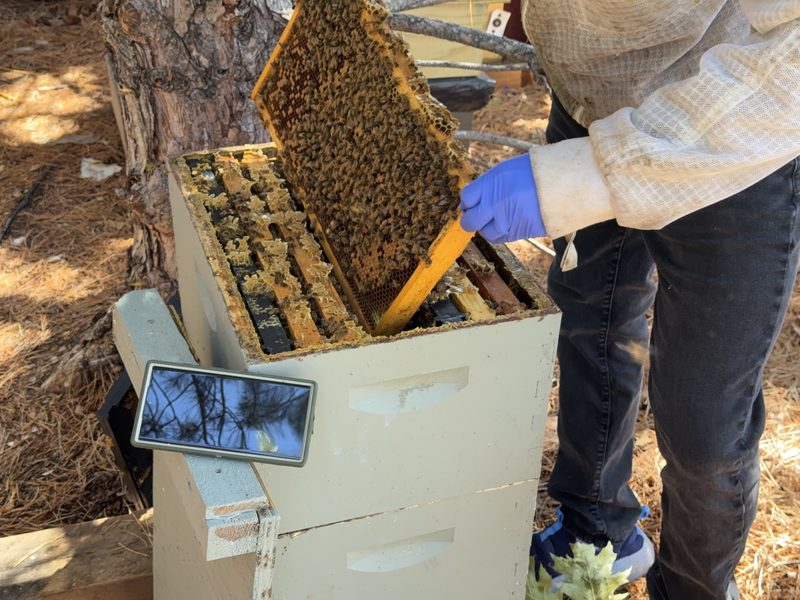
How does voice logging actually work at the hive?
You open the hive — tap an NFC tag on Android, scan its QR code on either phone, or open the hive screen by hand — then start a recording. You narrate what you see at your normal pace, in your own words. Pair a Bluetooth headset (bone-conduction or hands-free-profile) once and WhisperBee uses it automatically — the recording screen shows the connected device name, and on Android 12+ and iOS the app re-attaches if the headset briefly drops out of range mid-inspection so the back half does not quietly slip onto the phone mic. Audio captures locally on the phone first, so a missing cell signal never costs you the inspection. You do not have to hold the phone or keep the screen awake either: once the recording is running you can lock the phone and put it in a pocket, and capture continues for up to a minute under your phone's own recording indicator, still routed through your headset if you paired one. The inspection saves the moment the recording ends — whether you stopped it yourself or it reached the minute — and the app says so out loud, so you can hear that it landed without taking the phone back out. When you finish, transcription kicks off the moment a network reappears. The recording is kept, not thrown away after transcribing: once an inspection has synced, its voice note is ready to replay from the hive screen — the whole narration, not only the fields extracted from it — and playback keeps going when you lock the phone or pocket it, with transport controls on the lock screen showing the hive name and the date you recorded it.
Example: "Found fresh eggs. Good on stores, starting to get a little crowded — should add space next time. Check on them in 10 days. Applied Apivar strips today."
When would I use manual entry instead of voice?
Voice is the headline workflow at the hive. Manual entry is the parallel workflow on every inspection, treatment, and harvest screen — both on the mobile app and the web portal. On a hive screen, choose Manual instead of Record (mobile) or click Enter Manually next to Record Inspection (web), then fill the form: queen seen, eggs, brood pattern, varroa count, temperament, honey stores, space available, super status, treatments, harvests, and notes. Every field the AI extracts from voice is a field the manual form captures directly. Common cases: evening review on the web portal at the kitchen table; an inspection in a quiet space where speaking feels off; AI quotas hit on a heavy day; or simply a beekeeper who prefers typing.
Example: a daily-log beekeeper does field passes by voice in a 15-hive yard and a longer Sunday-evening review by hand on the web portal — adding queen-cell sightings and treatment plans the voice extractor would not have caught.
How do NFC hive tags speed up an inspection?
An NFC tag on each hive uniquely identifies that hive to the app — pair it once and that tag means that hive forever. From then on, on Android, tapping your phone to the tag is your shortcut into the hive: the first tap opens the detail screen, a second tap auto-starts a voice recording with a spoken confirmation ("recording for Lavender"). No menus, no scrolling, no removing a glove to type a hive name. iPhone does not read NFC tags, so on iOS you get the same shortcut by scanning the hive's printed QR code with the Camera and shaking the phone to record — and that scan-and-shake path works on Android too, with the NFC tap simply the faster, no-buttons option there.
Example: a fifty-hive yard goes from twenty taps and three menus per hive to two taps and zero menus.
What does AI extract from a voice inspection?
A language model parses your transcript and writes structured fields back to the inspection record: whether you saw the queen, whether eggs are present, brood pattern, honey stores, space available, mite count or treatment applied, temperament, and follow-ups worth tracking. Every AI-extracted value is editable — review and correct anything the model got wrong, and your edit replaces the AI's value on the timeline. Or skip the voice path entirely and fill the inspection form by hand on the mobile app or web portal: every AI-extracted field is also a manual-entry field.
Example: the narration above produces eggs seen = yes, honey stores = adequate, space available = limited, mite treatment = Apivar, plus action items to add space next inspection and follow up in 10 days.
Does it really work without a cell signal?
Yes — and this is the difference between an app you can use at the apiary and one you can only use at the kitchen table. WhisperBee saves every change to a local database on your phone. Audio queues for transcription, photos queue for upload, edits hold their own ground. When connectivity returns, the sync runs in the background; you never see a spinner blocking your work. That local store is a real database the operating system treats as app data, not an evictable browser cache — under storage pressure the OS clears caches first, and your unsynced inspections are not in that line of fire. The save itself happens the instant you make it — committed straight to that on-device database before any upload or AI step runs — so an inspection or edit you entered can't quietly fail to persist or vanish on the way to a server.
Example: an inspection started in a dead-zone apiary, edited from your truck, and re-edited at home all merge cleanly because the device is the source of truth, not the server.
What turns into an action item, and what does not?
A deterministic rules engine reads each inspection and proposes follow-ups when something needs attention: rising mite counts, queen cells (split to avoid swarming), poor or spotty brood patterns, a queen not seen with no eggs (verify queen status), aggressive temperament that needs a re-queen plan, low stores that need feeding, or honey ready to harvest. Each action item carries a one-line reason explaining why it was raised.
Example: a varroa wash above the standard treatment threshold (about 3 mites per 100 bees) opens a "treat for varroa" action item on your dashboard.
What is the Hive Health Engine looking at?
A multi-rule seasonal scoring engine reads each inspection in the context of your hive's history. Rules know about your local weather and your latitude — a "no eggs" alert is suppressed during a long cold snap because the queen probably is not laying anyway, and the suppression message tells you exactly why ("No eggs likely weather-driven — 7 consecutive non-flying days in the last 2 weeks"). The output is a plain-language health briefing per hive plus a yard-level "what needs attention this week" view.
Example: a "spotty brood" alert is downgraded after a cold week with the message that the queen probably skipped laying days while foragers couldn't replace incoming nectar — instead of pushing you toward an unnecessary requeen.
Can my spouse or a co-beekeeper share my hives?
From the Sharing screen on the mobile app or web portal, send an email invitation to anyone with a brand-new WhisperBee account. They sign in, accept the link, and on the next sync both of you see the same hives, apiaries, inspections, treatments, and harvests. Both can open the same hives the same way — an NFC tap on Android, or a QR scan on either phone. Each inspection is attributed to whoever recorded it, so you can tell at a glance who walked the yard on a given day. The invite link is single-use, expires in seven days, and is revocable from the Sharing screen at any time.
Example: a beekeeping couple share fifty hives. One walks the yard on Saturday and records voice inspections from their phone; the other reviews them Sunday evening from theirs and queues follow-up actions for next visit — both see the full timeline, each inspection labeled with who recorded it.